Export your
Grok chats
in one click
Save full conversations or selected messages as Word, PDF, Google Docs, Notion, or Markdown — directly from Grok. No copy-paste, no hassle.
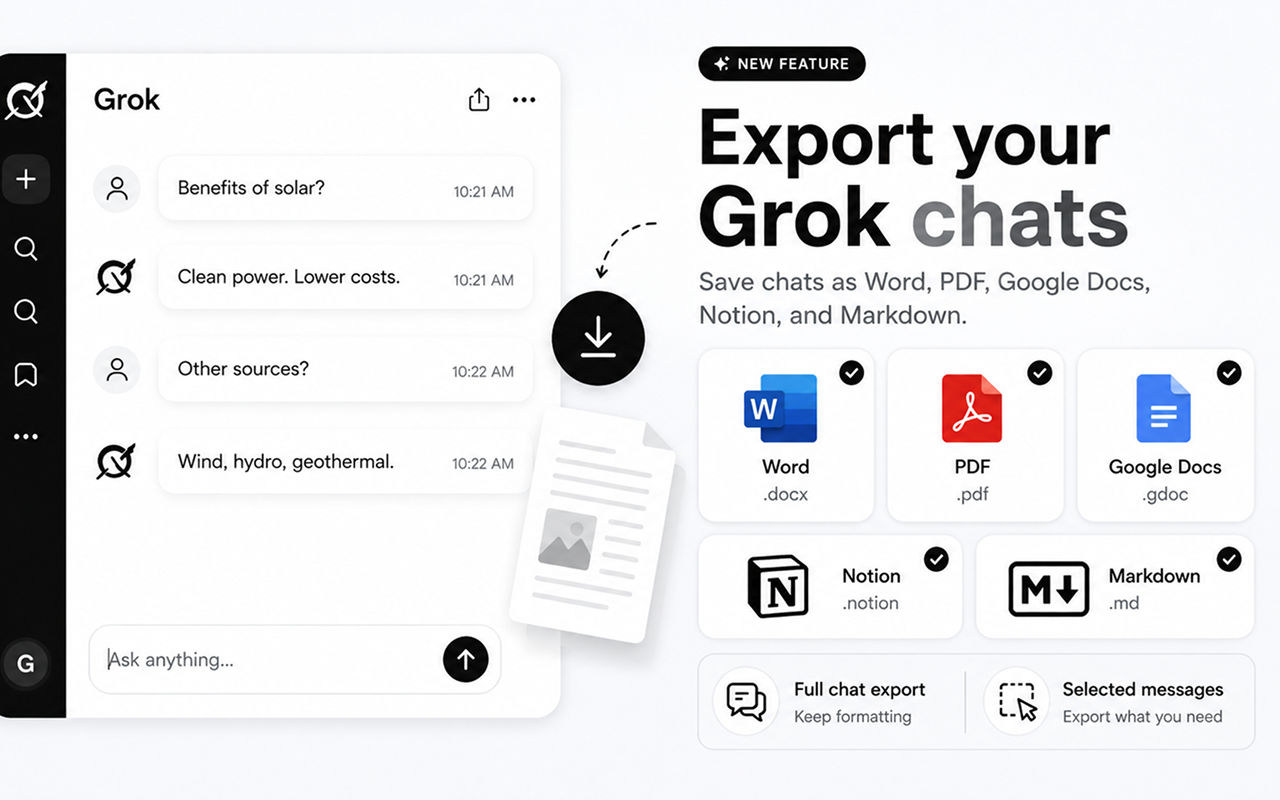
Supports all major formats
Everything you need to save your chats
Powerful export tools built directly into Grok's interface.
Full Chat Export
Export your entire Grok conversation history with perfect formatting — headings, bold text, code blocks, and lists all preserved.
Selected Messages
Pick only the messages that matter. Export a specific answer or a subset of your conversation without any extra clutter.
Customize Style
Adjust fonts, colors, heading sizes, text alignment, and more through the advanced settings panel before exporting.
One-Click Export
Five export buttons appear right in the Grok interface. Click once and your chat is saved instantly — no extra steps needed.
Up and running in seconds
Three simple steps to export any Grok conversation.
Install the extension
Add Chat Exporter for Grok to Chrome from the Web Store.
Open any Grok chat
Navigate to grok.com and open the conversation you want to export. The export buttons appear automatically.
Click to export
Choose Word, PDF, Google Docs, Notion, or Markdown. Your chat is exported instantly with full formatting preserved.
Five formats. Perfect output every time.
Your Grok chats, beautifully formatted exactly where you need them.
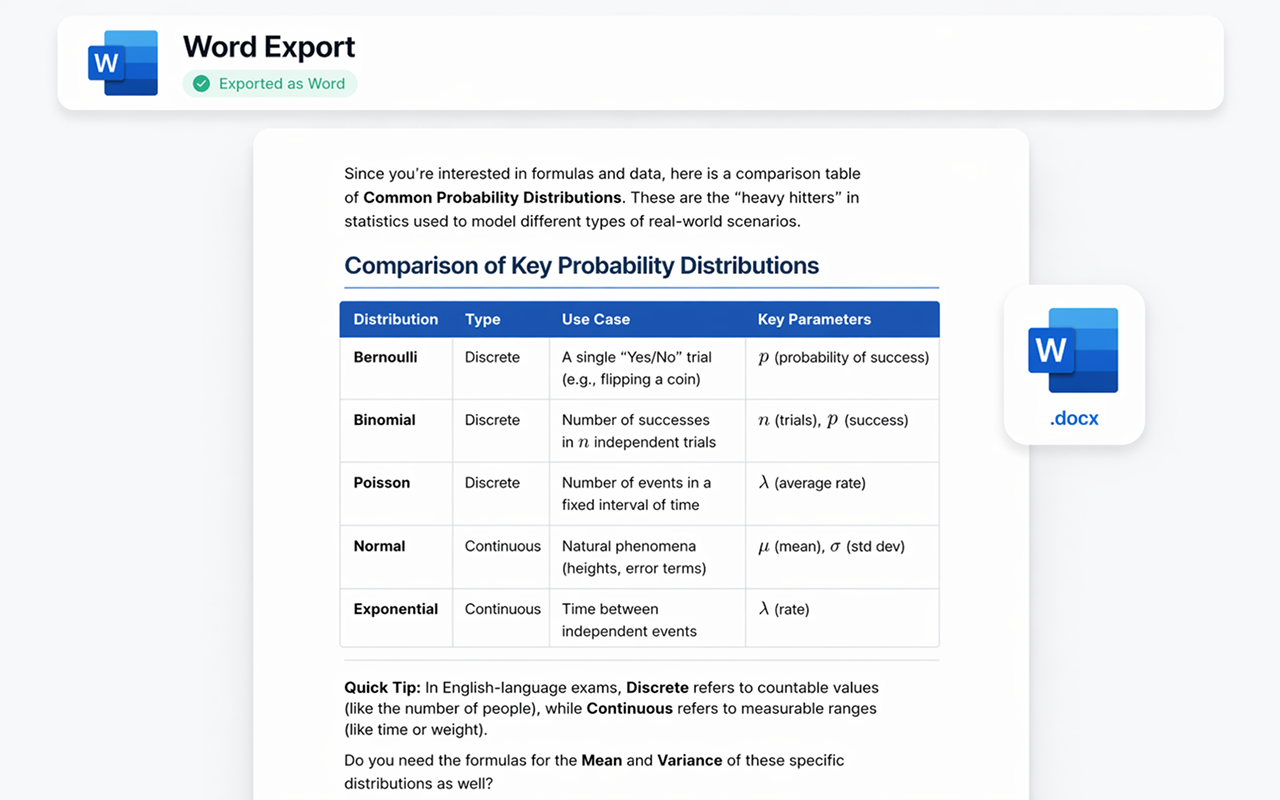
Export as Microsoft Word
Your Grok conversation becomes a professionally formatted .docx file. Headings, bold text, tables, and code blocks are all preserved — ready to edit, share, or print.
- ✓ Full formatting preserved
- ✓ Editable .docx file
- ✓ Custom fonts & colors
- ✓ Instant download
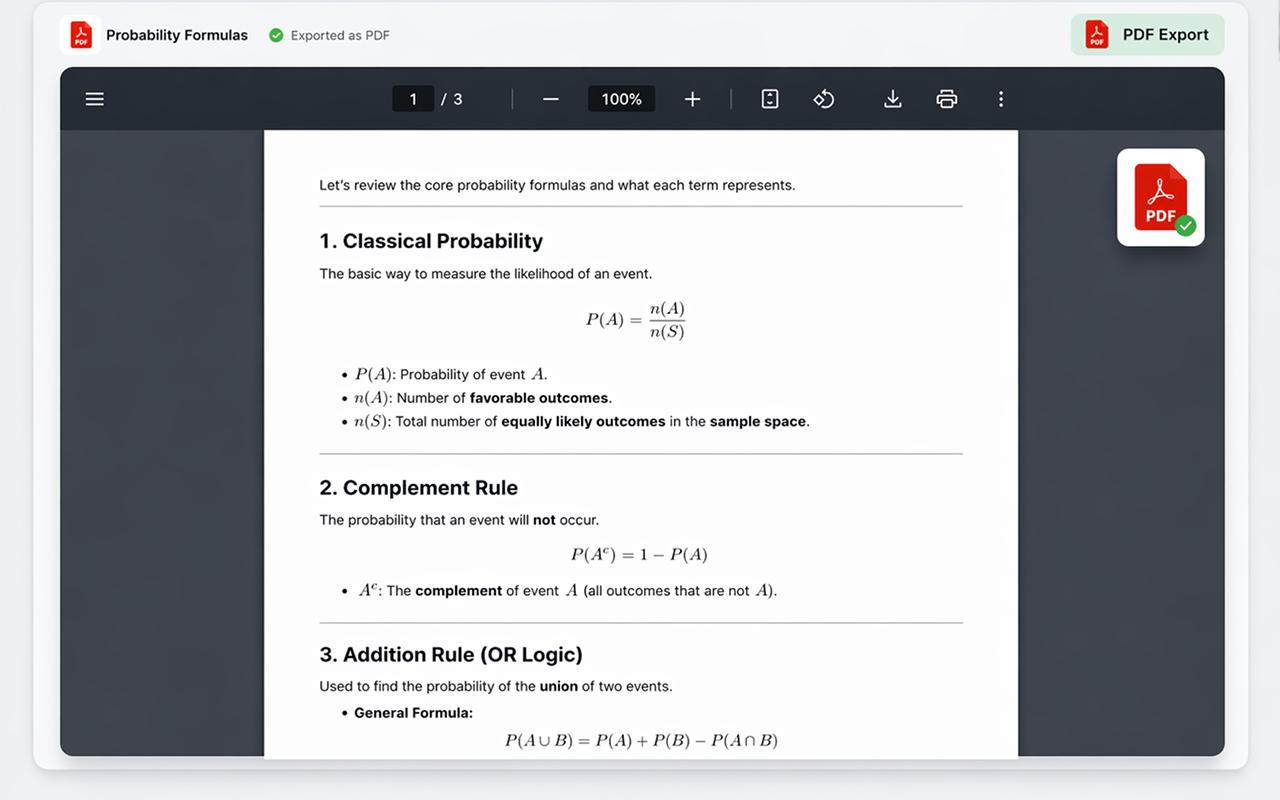
Export as PDF
Generate a pixel-perfect .pdf ready for sharing, printing, or archiving. The layout and formatting stay exactly as you see them in Grok — no surprises.
- ✓ Print-ready quality
- ✓ Faithful layout
- ✓ Multi-page support
- ✓ Instant download
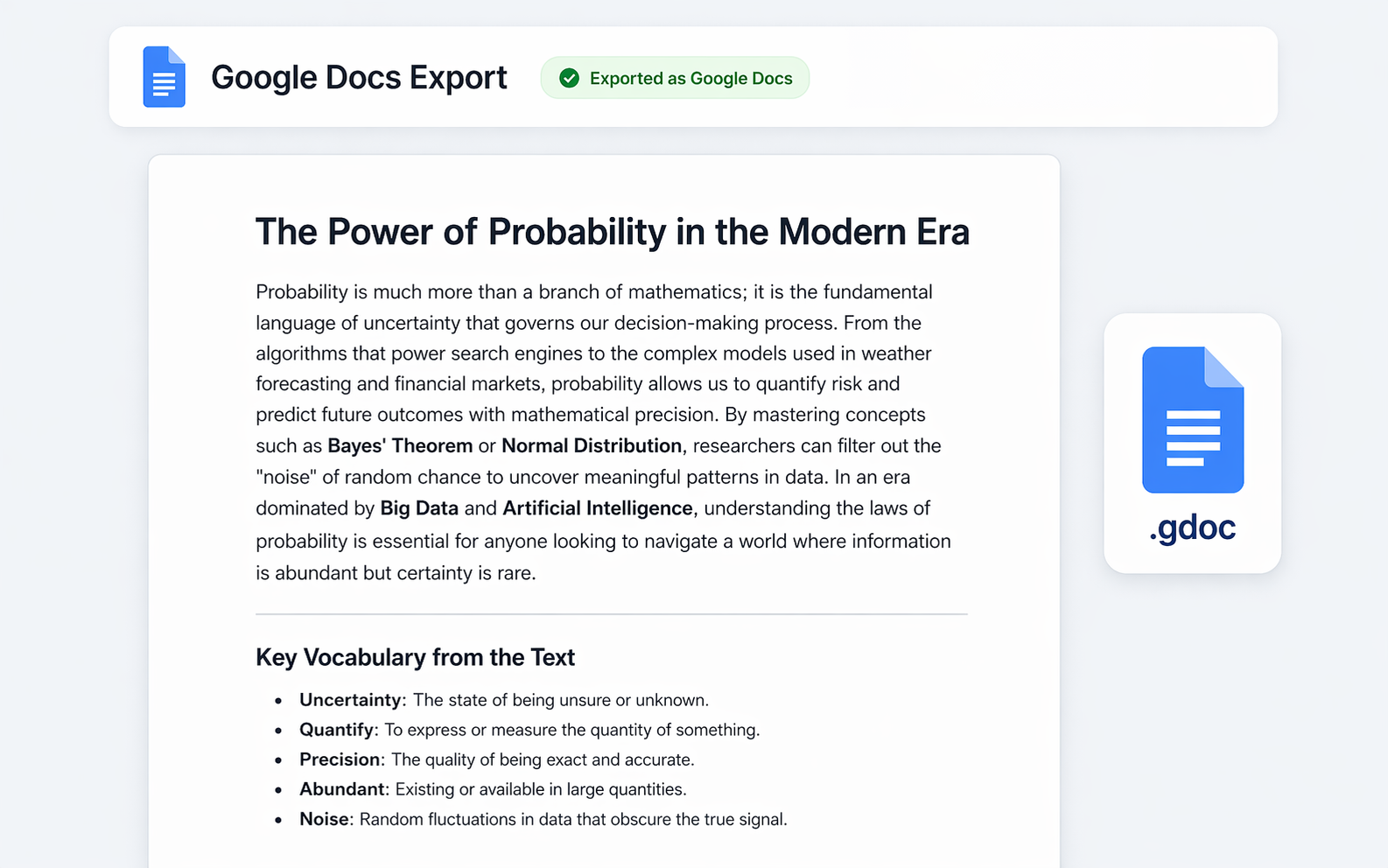
Export to Google Docs
Send your Grok conversation straight to Google Drive as a collaborative document. Perfect for teams, students, or anyone living in the Google ecosystem.
- ✓ Saved to Google Drive
- ✓ Fully editable
- ✓ Easy to share
- ✓ Works with your account
Export to Notion
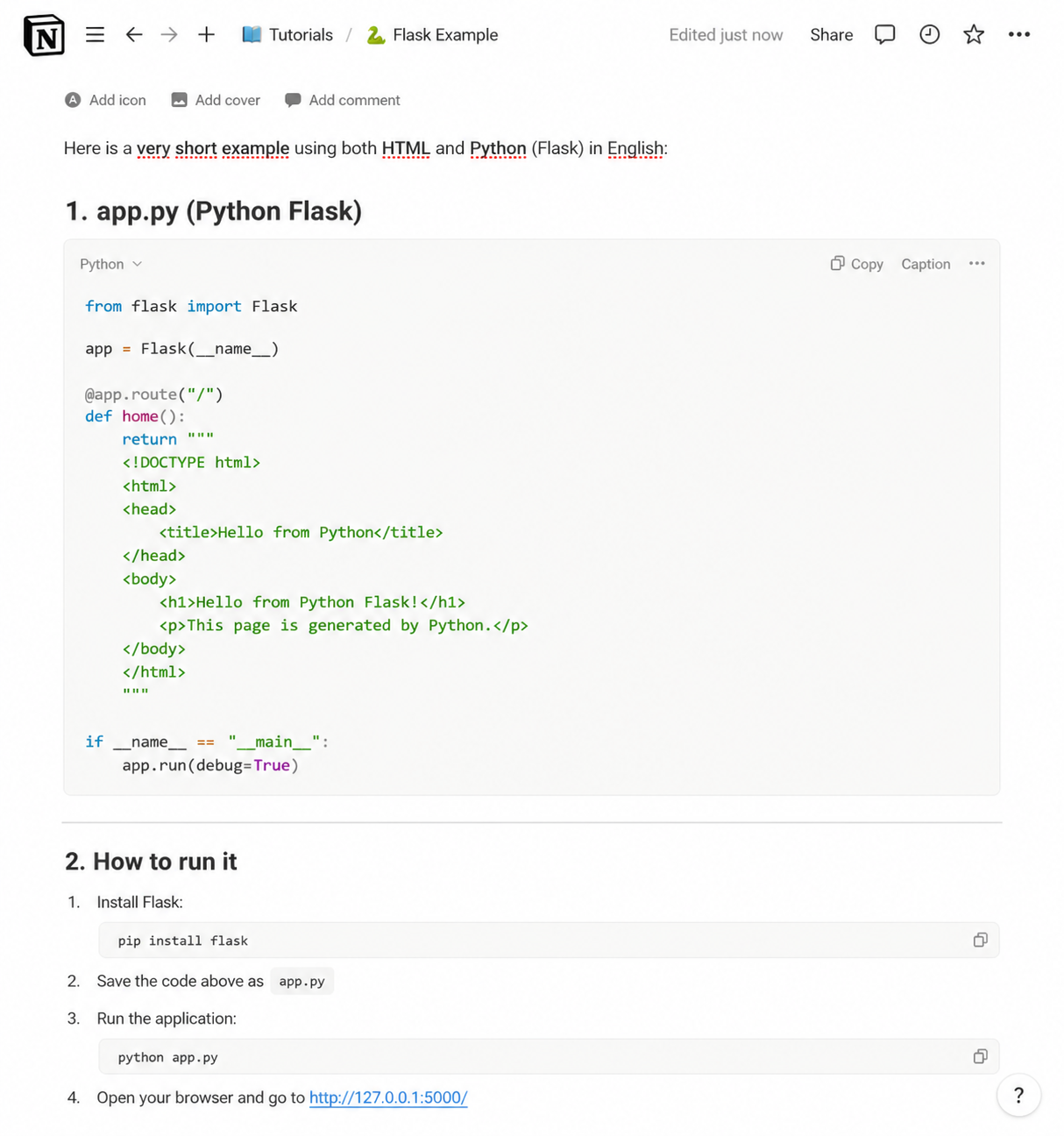
Push your Grok conversation directly into your Notion workspace as a new page. Headings, toggles, code blocks, and lists all become native Notion blocks — ready to drop into any database or doc.
- ✓ Native Notion blocks
- ✓ Code blocks with language
- ✓ Choose target page or database
- ✓ Connect once, export anytime
Export as Markdown
Get a clean .md file with all the structure intact — perfect for GitHub, Obsidian, VS Code, static-site generators, or any tool that speaks Markdown.
- ✓ Clean, portable .md file
- ✓ Fenced code blocks
- ✓ Works with Obsidian, GitHub, etc.
- ✓ Copy-to-clipboard option
Fine-tune every export
Use the advanced settings panel to customize fonts, text sizes, heading colors, alignment, and which export buttons are visible. Make every export match your style.
Get the Extension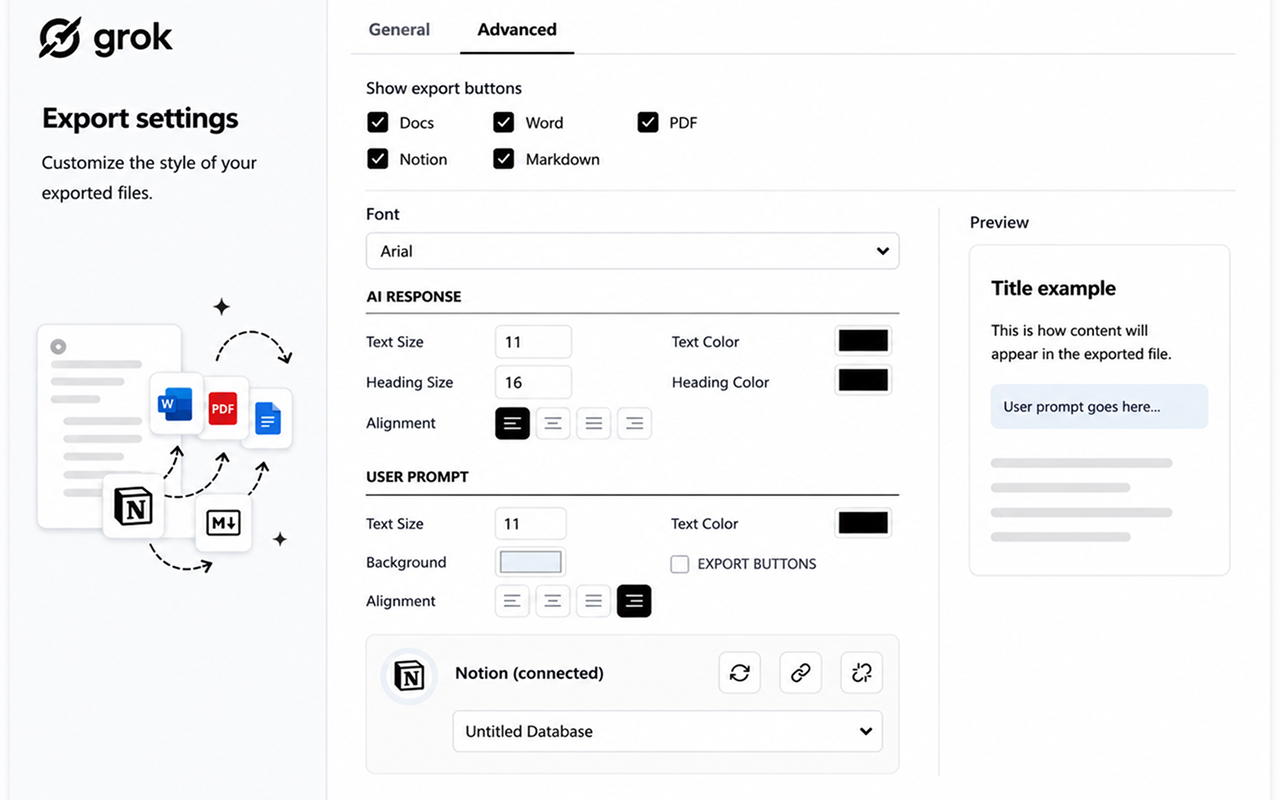
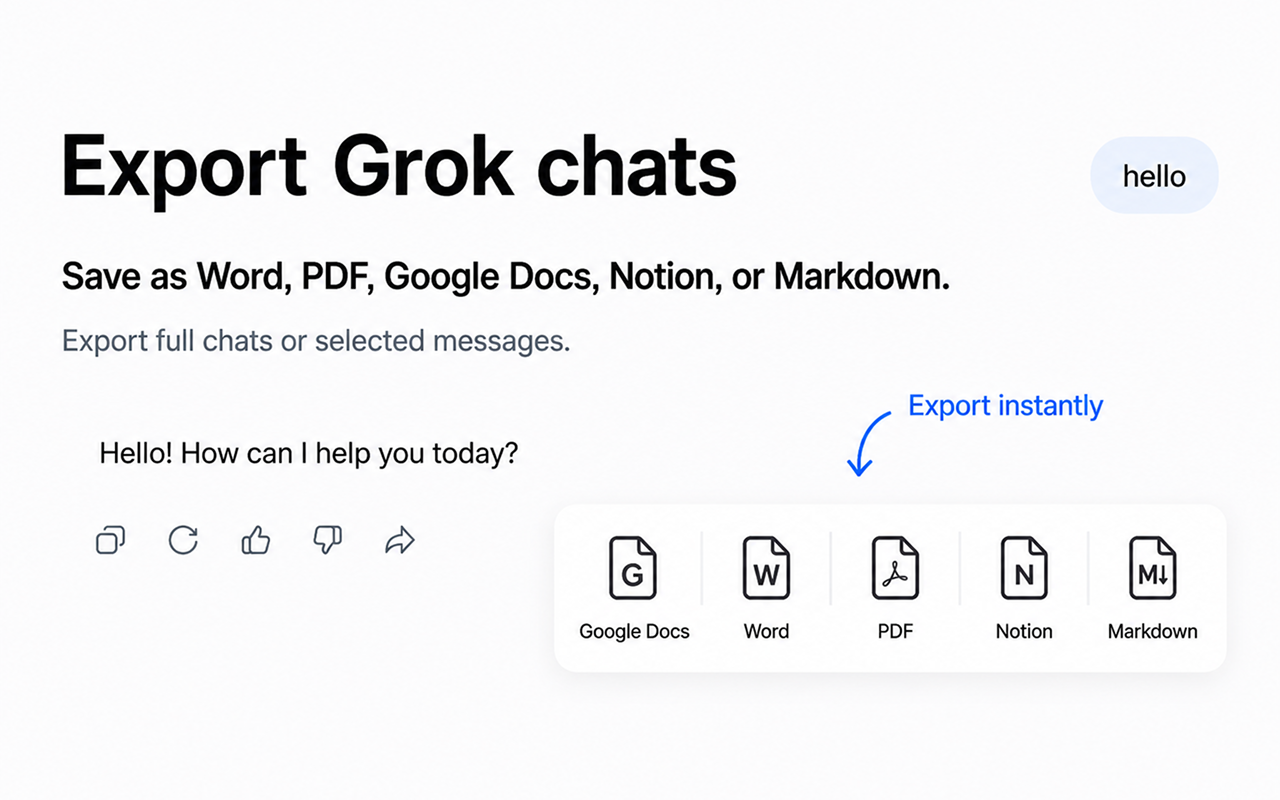
Export buttons appear right in Grok
No need to leave the page or open extra menus. Chat Exporter for Grok adds subtle export buttons directly inside each Grok response. Just click the format you want.
Frequently asked questions
Does it work with all Grok conversations?
Yes! The extension works on grok.com and integrates seamlessly with all your existing and new conversations.
Is my data safe?
Absolutely. The extension processes everything locally in your browser. We never send your chat data to any external server.
Do I need an account for Notion or Google Docs?
For Google Docs you'll sign in once with your Google account so the document can be saved to your Drive. For Notion you'll connect your Notion workspace once. Word, PDF, and Markdown exports work without signing in.
Can I export only part of a conversation?
Yes! You can select specific messages to export instead of the entire conversation. Perfect for saving only the parts that matter to you.
Simple, transparent pricing
Start free. Upgrade only when you need unlimited exports.
Free Plan
Basic usage with monthly limits
- 3 Full exports /mo
- 5 Single exports /mo
- All export formats
- Resets every month
Monthly Plan
$120/year if paid monthly
- Unlimited conversions
- All export formats
- Priority support
Yearly Plan
$6.58/mo — save $41 (4 months free)
- Unlimited conversions
- All export formats
- Priority support
- Save 34% vs monthly
Start exporting your Grok chats today
Works instantly on grok.com.
Add to ChromeAvailable on Chrome Web Store